
Online Members’ Access – guide to using this new service
Posted on Nov 23, 2016Manage your FAIRshare account whenever you wish with our new Online Members’ Access facility. Available 24/7 from a computer, tablet or mobile phone, Online Members’ Access gives you greater flexibility to manage your FAIRshare account at your convenience whenever & from wherever you wish. This great new service is available to all FAIRshare members over 18 years of age.
Scroll through this step by step guide to registering, activating & using Online Members’ Access.
How do I register?
Its quick & easy to register. From any page on our website, click on the Register button.

You will need your membership number on hand – if you can’t remember this, please contact us and we will remind you. FAIRshare must have your up to date address, mobile number and email address, so please make sure we hold the correct details before you register.
Complete the short registration form, read & click the ‘Accept the Terms & Conditions of Use’ check box & then click the green ‘Register’ button.
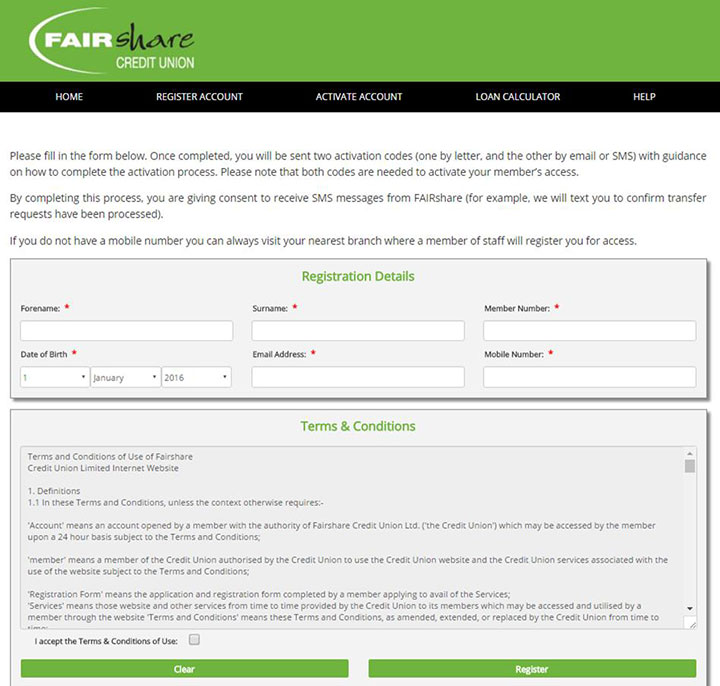
Once we receive your completed registration, we will send you further details of how to activate your account.
How do I activate my account?
You will receive two activation codes, one by email to the address we hold on file, and one by letter, which will be sent to your correspondence address. You will need both codes to activate your account.
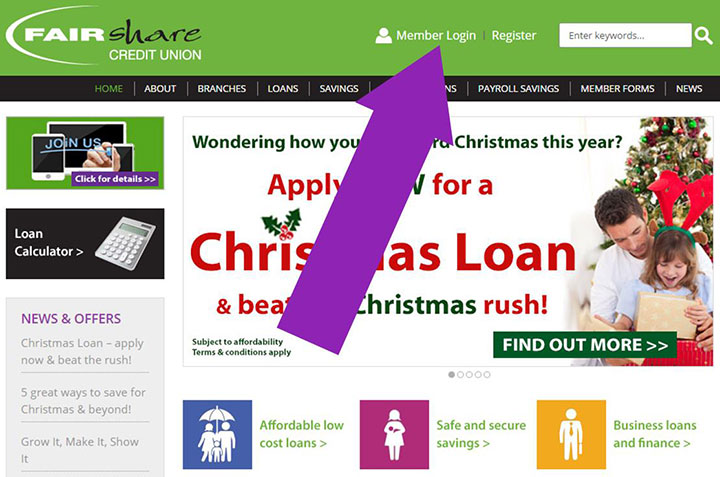
Once you have received your 2 activation codes, click on the Member Login button at the top of any page on our website.
Click on Activate Account & complete the short form, entering the details required & selecting your own 4 digit PIN number.
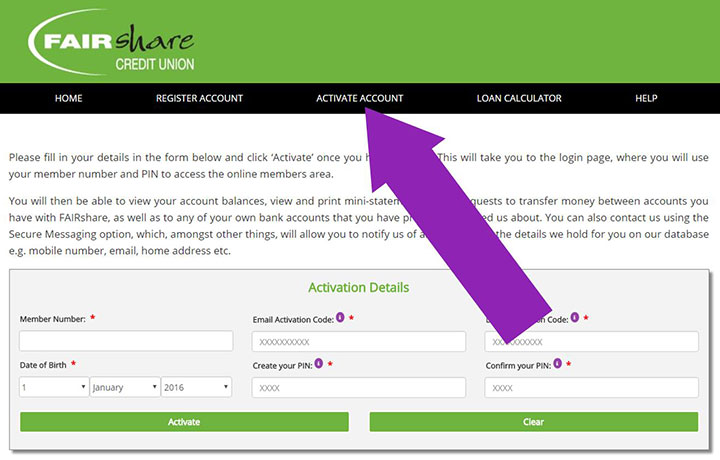
Once activation is completed, you will be able to access the services immediately.
If you do not receive a letter within 3 working days of being notified of successful registration, or if you have any problems in completing the registration process, please contact us on 01952 200200.
Please keep the details you register secure & safe, as you will need them each time you log in to access your account.
Using Online Member Access
Once registered & activated you can access the following services whenever you wish.
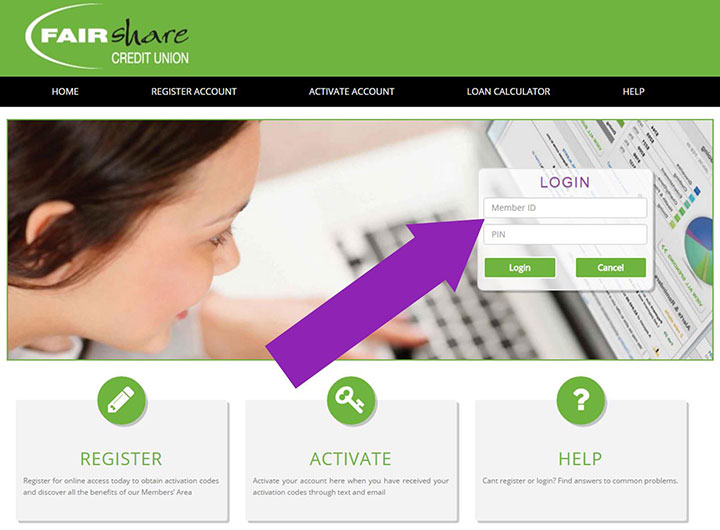
Click on click on the Member Login button at the top of any page, and complete the ‘Login’ box by entering your Membership Number (Member ID) and 4 digit PIN number.
Balances
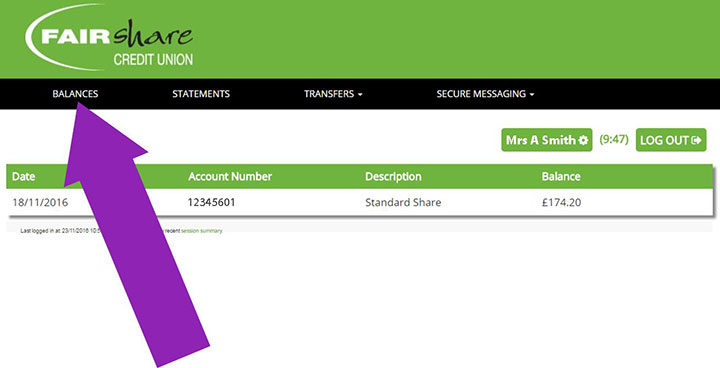
Click ‘Balances’ to view your savings and loan balances
Statements
Click ‘Statements’ to view & print statements
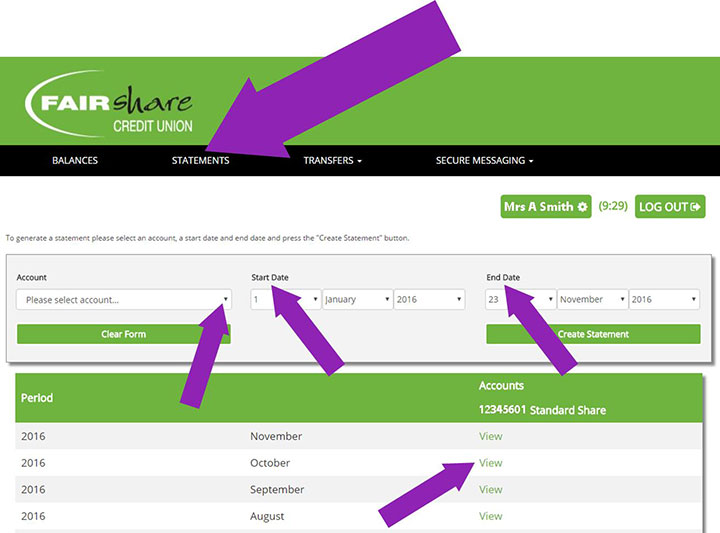
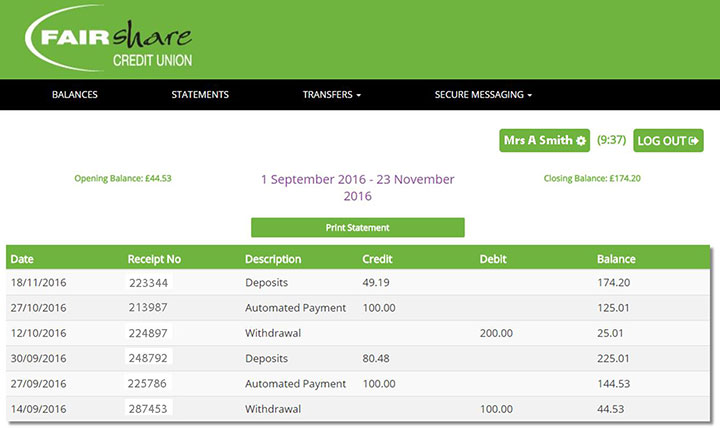
You can view statements for a specific calendar month, or generate a statement for a specific period by entering your own Start Date & End Date. Click ‘Create Statement’ to view all transactions for your period on screen. You also have the option to print the Statement.
Transfers
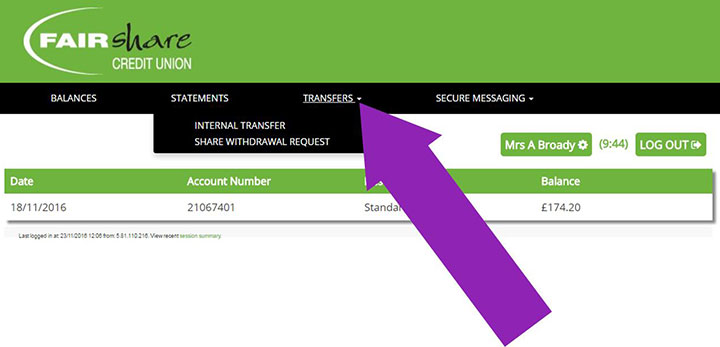
Click on ‘Transfers’ to request Internal Transfers or Share Withdrawals.
Internal Transfers
To request to transfer money between your FAIRshare accounts, select the accounts from the drop down lists, enter the amount & click the green ‘Transfer’ button.
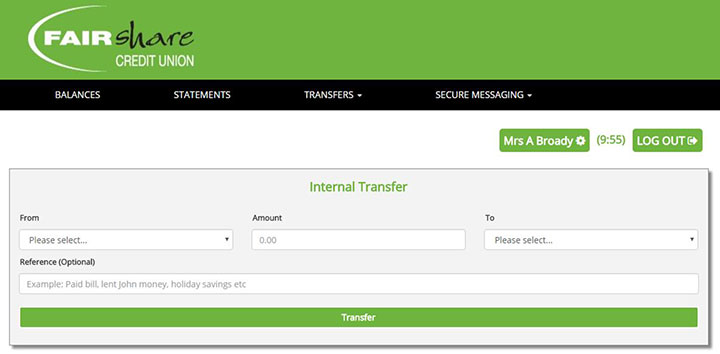
Requests will be actioned during working hours, and we’ll send you a confirmation text once completed.
Share withdrawals
To request money transfers from your FAIRshare account to your bank or building society, providing we have the account details set up on your account, select the accounts from the drop down lists, enter the amounts & click the green ‘Transfer’ button. Please call Member Services on 01952 200200 or visit a branch to add or amend bank or building society account details.
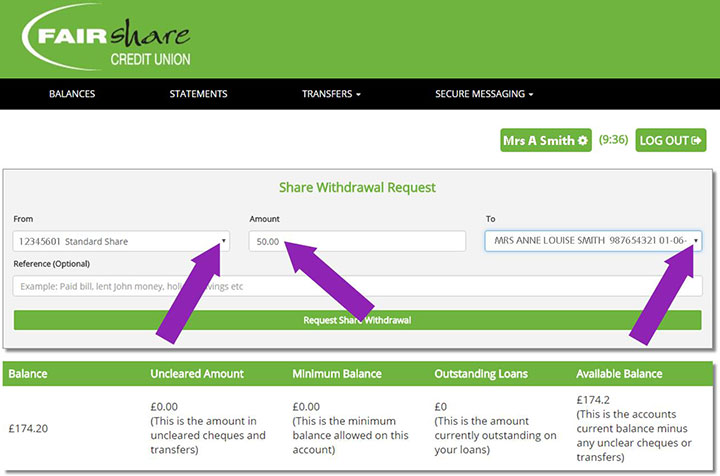
Requests will be actioned during working hours, and we’ll send you a confirmation text once completed.
Secure messaging
Click on ‘Secure Messaging’ to send and receive secure messages about your FAIRshare account.
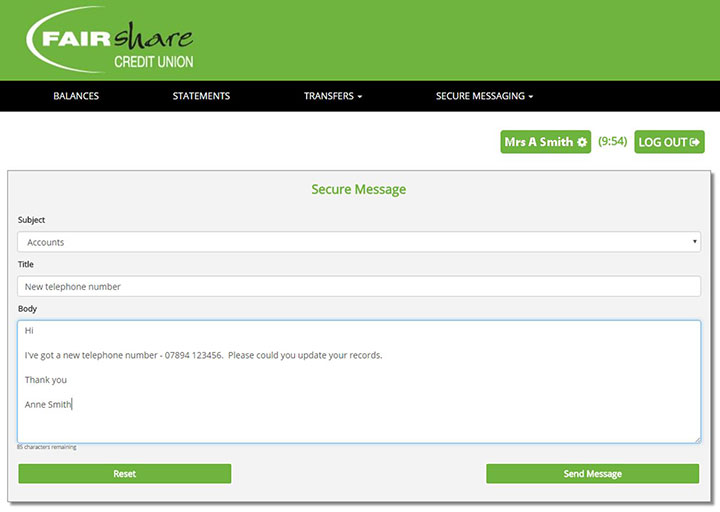
Messages will be processed during working hours.
Changing your 4 digit PIN number
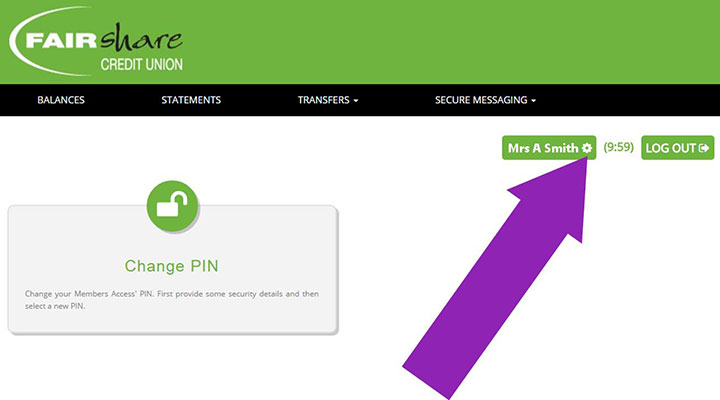
Click on the ‘cog’ alongside your name to access the Change PIN screen. Click on ‘Change PIN’ and complete the short form.
Let us have your feedback
We look forward to you using the Members Access area, and would welcome feedback on the registration process to membersonline@fairshare.uk.com, as well as general comments regarding the site.
